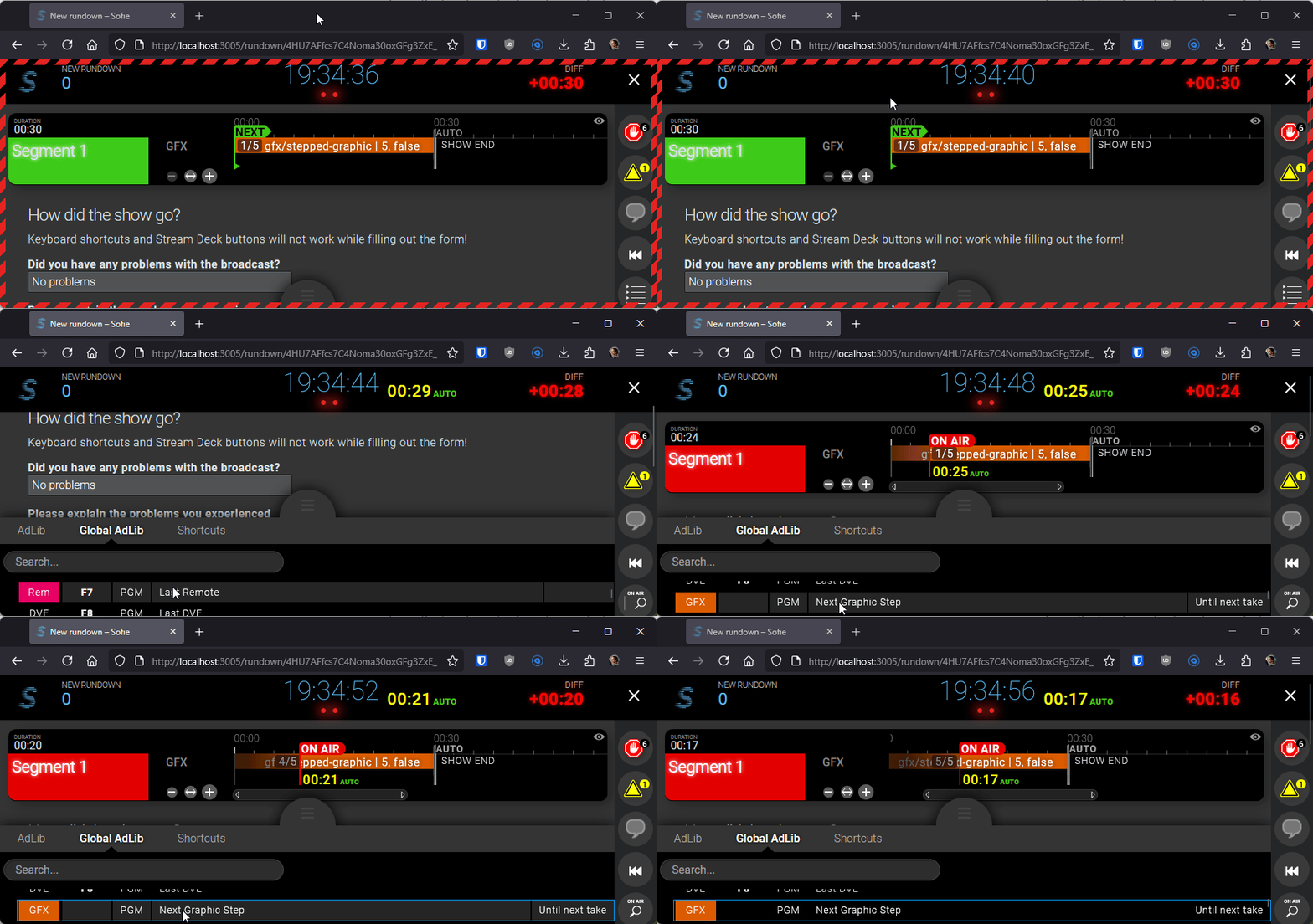
Creating a Global AdLib Action
In this example we are creating a Global AdLib Action that can be executed any-time in the show.
This example builds on the stepped graphics piece we created here
As a result of these steps we will have a Global AdLib Action that when executed checks if the current part has any stepped graphics pieces and steps them until the last step.
Step 1: Add a new ActionId
The first step is to come up with an identifier for your action. We just simply add it to the following enum:
export enum ActionId {
	LastRemote = 'lastRemote',
	LastDVE = 'lastDVE',
	// added new id:
	GFXStep = 'GFXStep',
}
packages\blueprints\src\base\showstyle\executeActions\actionDefinitions.ts
Step 2: Create a global action to step through the graphic
We now need to define the action in our blueprint, this happens in getGlobalActions(). This function returns all global actions for the rundown.
An example of a simple Global AdLib Action
{
    actionId: ActionId.GFXStep,
    userData: {},
    userDataManifest: {},
    display: {
        label: t('Control Graphic Step'),
        sourceLayerId: SourceLayer.GFX,
        outputLayerId: getOutputLayerForSourceLayer(SourceLayer.GFX),
    },
    triggerModes: [],
    externalId: ingestRundown.externalId,
}
packages\blueprints\src\base\showstyle\rundown\globalActions.ts
Step 3: Execution logic
Now we need to define what our action does, when we trigger it.
In executeAction() we can forward our action to our execution logic:
if (actionId === ActionId.LastRemote) {
	await executeLastOnSourceLayer(context, SourceLayer.Remote)
} else if (actionId === ActionId.LastDVE) {
	await executeLastOnSourceLayer(context, SourceLayer.DVE)
}
// Our new action is executed here:
else if (actionId === ActionId.GFXStep) {
	await executeGraphicNextStep(context)
}
packages/blueprints/src/base/showstyle/executeActions/index.ts
And then we can have the actual logic in a separate function:
For our example we could choose from these approaches:
context.updatePieceInstance()- update the current
pieceandtimeline object(we used this in the example) - add new
timeline objectsfor each step execution, these are still part of the samepiece - add
keyframesto the already existingtimeline object
- update the current
context.insertPiece()to add a newpiecewith the new step when advancing the graphic
Optionally a DataStoreAction can be used to fast-track the next slide instead of waiting for the database to update.
Relevant reading on Part and Piece actions: https://github.com/Sofie-Automation/sofie-core/blob/release53/packages/blueprints-integration/src/context/partsAndPieceActionContext.ts
export async function executeGraphicNextStep(context: IActionExecutionContext): Promise<void> {
	const increment = 1

	// we filter for any stepped graphic piece
	const pieceInstances = await context.getPieceInstances('current')
	const steppedPieceInstances = pieceInstances.filter(
		(piece) => (piece.piece.content as unknown as WithTimeline<NoraContent>).step
	)

	// we execute the action for each of them
	for (const piece of steppedPieceInstances) {
		const content = piece.piece.content as unknown as WithTimeline<NoraContent>
		if (content.step) {
			const { count, current } = content.step

			newStep = Math.min(newStep, count)

			await context.updatePieceInstance(piece._id, {
				...piece.piece,
				content: {
					...content,

					// update step data
					step: { ...content.step, current: newStep },

					/* If needed modify the timelineObjects too.

					timelineObjects: content.timelineObjects.map((tlObj) => ({
						...tlObj,
						content: {
							...tlObj.content,
							data: (tlObj.content as any).data
								? { ...(tlObj.content as any).data, currentStep: content.step ? newStep : undefined }
								: undefined,
						},
					})), */
				},
			})
		}
	}
}
packages/blueprints/src/base/showstyle/executeActions/steppedGraphicExample.ts
Result